Best WhatsApp Call Recorder App for Android (2026): How to Record WhatsApp Voice & Video Calls
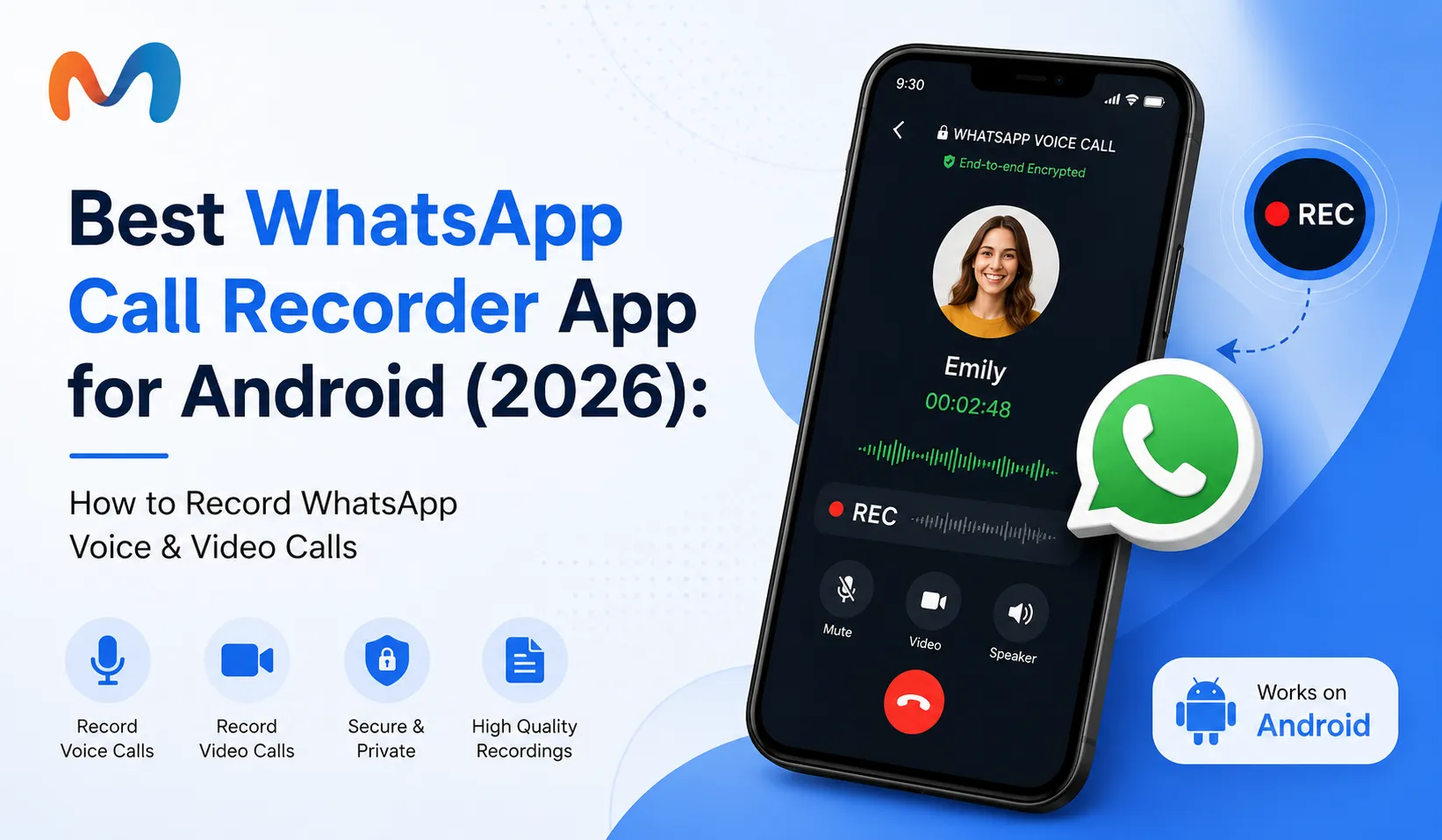
WhatsApp has become one of the most popular communication platforms for Android users. Millions of people use WhatsApp every day for instant messaging, voice calls, video calls, sharing photos, sending documents, and staying connected with friends, family members, customers, and colleagues. Because voice and video calling have become such an important part of WhatsApp, many Android users are interested in finding a reliable WhatsApp call recorder app.
Searches such as WhatsApp call recording, WhatsApp voice call recorder, WhatsApp video call recorder, WhatsApp call recording app, and how to record WhatsApp calls on Android have become increasingly common. However, recording WhatsApp calls is not always as simple as recording a traditional cellular phone call. Android versions, device manufacturers, application permissions, privacy restrictions, and audio recording capabilities can all affect the result.
In this detailed guide, we will explain how WhatsApp call recording works, whether WhatsApp calls can be recorded, how to record WhatsApp voice calls, how to record WhatsApp video calls, what to know about WhatsApp call recorder APK files, and what Android users should consider before installing a third-party recording application.
We will also explain the difference between a traditional call recording application and a parental monitoring solution such as MobMonitor, so you can choose the right type of solution according to your actual requirement.
Pro Tip for Parents
Monitoring software should always be part of a healthy digital parenting strategy. Combine technology with open conversations so children understand why online safety matters and feel comfortable discussing anything unusual they experience online.
What Is a WhatsApp Call Recorder?
A WhatsApp call recorder is a software application or recording method designed to capture audio, video, or both during a WhatsApp call. Unlike normal cellular calls, WhatsApp calls are internet-based communications. This means that the operating system and device permissions play an important role in determining whether a recording method will work correctly.
A typical WhatsApp call recording solution may be intended for one or more of the following purposes:
- Recording WhatsApp voice calls.
- Recording WhatsApp video calls.
- Capturing the screen during a WhatsApp call.
- Saving microphone audio when supported.
- Keeping a record of important conversations where recording is legally permitted.
- Understanding smartphone activity for legitimate parental supervision.
It is important to understand that not every application advertised as a WhatsApp calls recording app can actually record both sides of a WhatsApp conversation. Android security restrictions can prevent applications from accessing internal audio, especially on newer versions of the operating system.
Can WhatsApp Calls Be Recorded?
One of the most common questions is: Can WhatsApp calls be recorded? The answer depends on the Android device, operating system version, recording method, and permissions available on that particular phone.
WhatsApp itself does not provide a universal built-in call recording button for recording every voice or video call. As a result, Android users generally look at device-level recording features or compatible third-party solutions.
Even when a recording application is installed successfully, that does not necessarily mean it will be able to capture the complete conversation. Some phones may record the microphone while failing to capture the other participant's audio. Other devices may record the screen but not the internal call audio.
Therefore, before choosing the best WhatsApp call recorder, Android users should first check whether their specific phone model and Android version support the required recording method.
Important Things to Check Before Recording
- Android operating system version.
- Phone manufacturer and model.
- Microphone permissions.
- Screen recording support.
- Internal audio recording support.
- Available storage space.
- Local privacy and recording laws.
How to Record WhatsApp Calls on Android
If you are searching for how to record WhatsApp calls on Android, the first thing to understand is that there is no single method that works identically on every Android phone. Different manufacturers provide different screen recording and audio recording features.
In many cases, the easiest option is to check whether your phone has a built-in screen recorder. Some Android devices allow users to record the screen along with microphone audio. Depending on the device, however, internal application audio may not be available during a WhatsApp call.
Method 1: Use the Built-In Screen Recorder
Many modern Android phones include a screen recording function in the quick settings panel. If your phone supports audio recording, you may be able to select microphone audio before starting the recording.
- Open the Quick Settings panel on your Android phone.
- Look for the Screen Recorder option.
- Select the available audio source.
- Start the recording.
- Open WhatsApp and make the required call.
- Stop the recording when the call is finished.
The exact steps may differ between Samsung, Xiaomi, OnePlus, Oppo, Vivo, Realme, Motorola, and other Android devices.
Method 2: Use Microphone-Based Recording
Some recording methods rely on the phone's microphone rather than direct access to WhatsApp's internal audio. This can work in certain situations, particularly when the call is placed on speaker mode, but the resulting audio quality may not be as clear as a direct internal recording.
Background noise, microphone sensitivity, speaker volume, and the distance between the phone and surrounding objects can all affect the final recording.
Method 3: Check Device-Specific Recording Features
Some smartphone manufacturers include additional audio and screen recording features. If you are having trouble with a third-party WhatsApp call recording app, check the official recording capabilities included with your phone before installing another application.
Pro Tip for Parents
Parents should focus on understanding a child's overall digital behavior rather than relying on a single feature such as call recording. Healthy conversations about online safety, privacy, cyberbullying, and responsible smartphone use can make monitoring much more effective.
How to Record WhatsApp Voice Calls
Many Android users specifically search for how to record WhatsApp voice calls. Voice calls can be more difficult to record than ordinary phone calls because WhatsApp handles the call through an internet connection and Android applies restrictions to audio capture.
If your device supports microphone or screen recording during WhatsApp calls, you can test the recording function before relying on it for an important conversation. Make a short test call, record it, and then check whether both sides of the conversation are audible.
A common problem is that the recording contains only the user's microphone audio. This happens because some Android devices prevent applications from capturing audio generated by another application.
Why WhatsApp Voice Call Recording May Not Work
- Android privacy restrictions.
- Microphone permission is disabled.
- Internal audio capture is restricted.
- The recording application is not compatible with the device.
- Battery optimization stops the application.
- The WhatsApp version or Android version has changed.
How to Record WhatsApp Video Calls
WhatsApp video calls can sometimes be captured using a screen recording feature. A screen recorder can capture the visual portion of the conversation, while audio recording depends on the permissions and capabilities of the Android phone.
If your phone supports screen recording, start by checking the available audio options. Some phones provide choices such as microphone, device audio, or both. The available options vary significantly between devices.
Basic Steps for WhatsApp Video Call Recording
- Open your Android phone's screen recorder.
- Check the available audio recording option.
- Start screen recording.
- Open WhatsApp.
- Start the video call.
- Stop the screen recording after the call.
- Open the saved file and check its audio and video quality.
If the video is recorded but the audio is missing, this is usually related to Android's audio capture restrictions rather than a problem with the WhatsApp video call itself.
WhatsApp Call Recording on Different Android Phones
Android is used by many different smartphone manufacturers, and each manufacturer can implement its own software features and privacy controls. This means that a recording method that works on one phone may not work on another phone running the same Android version.
Before installing a third-party WhatsApp call recorder for Android, it is therefore worth checking the recording capabilities of your specific device.
Samsung Phones
Samsung devices may include a built-in screen recording feature depending on the model and software version. Users can check the Quick Settings panel to see whether Screen Recorder is available and which audio options are supported.
Xiaomi and Redmi Phones
Xiaomi and Redmi devices can provide screen recording through their system tools. The available audio sources and behavior during WhatsApp calls can vary depending on the model and software version.
OnePlus Phones
OnePlus devices may provide screen recording tools through the system interface. Users should check the audio settings before starting a WhatsApp call recording.
Oppo, Vivo and Realme Phones
These manufacturers also offer screen recording features on many models. However, audio recording capabilities can differ depending on the specific phone and software version.
| Android Device Factor | Why It Matters |
|---|---|
| Android Version | Newer versions may apply stronger privacy restrictions. |
| Phone Manufacturer | Different manufacturers provide different recording tools. |
| Microphone Permissions | Recording applications may require microphone access. |
| Internal Audio | Some devices restrict internal application audio capture. |
| Storage | Long recordings can require significant storage space. |
What Makes the Best WhatsApp Call Recorder App?
Choosing the best WhatsApp call recording app should not be based only on advertisements or the number of features listed on an application page. Compatibility, privacy, security, reliability, and permissions are equally important.
Before installing any recording software, consider the following factors.
1. Android Compatibility
The application should support your Android version and device model. An application designed for older Android versions may not function correctly on a modern phone.
2. Recording Quality
Good recording quality depends on the available audio source. Microphone-only recording may sound different from internal audio recording, and background noise can also affect the result.
3. Reliability
A useful recording application should work consistently rather than only under specific conditions. Always perform a short test before relying on any application for an important conversation.
4. Privacy and Security
Call recordings can contain highly personal information. An application should therefore be evaluated carefully before granting access to the microphone, storage, notifications, accessibility services, or other sensitive permissions.
5. Storage Management
Video recordings can consume considerably more storage than audio recordings. If you record long WhatsApp video calls, make sure your phone has enough available storage.
Pro Tip for Android Users
Always perform a short test recording before using any recording solution for an important conversation. This lets you confirm whether your phone captures the microphone, call audio, video, or only the screen.
WhatsApp Call Recorder APK: What You Should Know
Searching for a WhatsApp call recorder APK can lead users to websites offering applications outside official app stores. Although installing an APK can sometimes provide access to applications that are not available through a particular store, downloading software from unknown sources can create security risks.
An APK file can request powerful permissions once installed. Before installing any application, users should understand what information the software can access and whether the source is trustworthy.
Risks of Unknown APK Files
- Malware or unwanted software.
- Excessive application permissions.
- Privacy risks.
- Modified or outdated software.
- Potential account or device security issues.
Users should be especially careful with applications that promise impossible features, claim to bypass Android security, or request unnecessary permissions.
WhatsApp Call Recorder App Download: Things to Check First
Before searching for a WhatsApp call recorder app download, check whether you actually need call recording or whether your requirement is related to monitoring WhatsApp activity. These are two different use cases.
A call recorder focuses on capturing a call, while a parental monitoring solution focuses on helping parents understand and supervise a child's broader smartphone activity.
| Requirement | More Relevant Solution |
|---|---|
| Save a supported voice recording | Compatible recording feature |
| Capture a screen recording | Built-in screen recorder |
| Understand children's WhatsApp activity | Parental monitoring solution |
| Monitor broader smartphone usage | Parental monitoring software |
WhatsApp Call Recording Software vs WhatsApp Monitoring
The terms WhatsApp call recording software and WhatsApp monitoring software are sometimes used interchangeably, but they can describe very different technologies.
Call recording software is primarily designed to capture audio or video from a call. Monitoring software, on the other hand, can provide information about application usage, device activity, and other aspects of smartphone behavior depending on the features supported by the product.
Parents who are looking for a way to keep children safer online may therefore benefit more from a complete parental monitoring approach rather than focusing only on call recordings.
WhatsApp Call Recording Kaise Kare?
Hindi-speaking Android users often search for WhatsApp call recording kaise kare. The basic process depends on the phone's built-in capabilities.
- Check whether your Android phone has a screen recorder.
- Open the recorder settings.
- Check available microphone or audio options.
- Make a short WhatsApp test call.
- Start the recording.
- Stop the recording after the test.
- Play the saved file and check the audio quality.
If the recording does not contain the expected audio, the limitation may come from the Android operating system or device manufacturer.
WhatsApp Voice Call Recording Kaise Kare?
The process for WhatsApp voice call recording kaise kare can vary by device. Some users may be able to use screen recording with microphone audio, while other devices may restrict audio capture during internet calls.
If audio quality is important, test your recording method before using it for an important call. Remember that recording laws can differ depending on the location and circumstances, so users should understand the applicable requirements before recording another person.
WhatsApp Video Call Recording Kaise Kare?
For users searching WhatsApp video call recording kaise kare, the built-in screen recorder is often the first feature worth checking. It can potentially capture the visual content displayed on the screen, while audio support depends on the device.
A short test recording is recommended because a successful screen recording does not automatically mean that both sides of a WhatsApp conversation will be included in the audio.
How MobMonitor Helps Parents Monitor WhatsApp Activity
Parents often search for a WhatsApp call recorder because they want to understand how their children are using messaging applications. However, call recording is only one possible part of digital supervision. A broader parental monitoring solution can provide a more complete picture of smartphone usage.
MobMonitor is designed as a parental monitoring solution that helps parents stay informed about supported smartphone activity. Instead of focusing only on recording calls, parents can use monitoring tools to understand broader digital habits and encourage safer smartphone use.
If your primary goal is to monitor WhatsApp-related activity, you can learn more about the WhatsApp Tracker solution available through MobMonitor.
Why Parents Look for WhatsApp Monitoring
Children increasingly use messaging applications to communicate with friends, classmates, and online communities. Parents may therefore want greater visibility into their child's digital environment, especially when they are concerned about cyberbullying, inappropriate communication, unknown contacts, or excessive smartphone usage.
Responsible parental monitoring should be combined with communication. Technology can help parents identify unusual activity, but an open conversation can help children understand why digital safety matters.
Pro Tip for Parents
Parents should use monitoring tools transparently whenever appropriate and combine them with regular conversations about online privacy, cyberbullying, and responsible smartphone usage.
Benefits of Responsible WhatsApp Monitoring
- Helps parents understand children's digital habits.
- Can help identify unusual smartphone activity.
- Encourages conversations about online safety.
- Can provide broader visibility than call recording alone.
- Supports a more complete digital parenting strategy.
WhatsApp Call Recorder for Android: Privacy Considerations
Privacy should be one of the most important considerations when choosing any application that interacts with communication or device activity. Voice and video conversations can contain private information, passwords, financial details, personal discussions, and other sensitive content.
Before installing a recording or monitoring application, review the permissions it requests. If an application asks for access that does not appear relevant to its advertised functionality, users should investigate further before granting access.
Check Application Permissions
Depending on the application, permissions may include microphone access, storage access, notifications, accessibility features, or other device capabilities. Always understand why a permission is required before allowing it.
Protect Saved Recordings
If you legitimately create a recording, remember that the recording itself may contain private information. Store it securely and avoid sharing it unnecessarily.
Understand Local Laws
Recording laws vary by jurisdiction. Depending on where you are located, recording another person's conversation may require consent or may be subject to specific legal conditions. Users should understand the rules applicable to their situation.
Common Problems With WhatsApp Call Recording
Even after installing a WhatsApp call recorder app, users may experience problems. These problems are often caused by Android restrictions rather than the application itself.
Problem 1: Only Your Voice Is Recorded
This can happen when the application has access to the microphone but cannot capture the other side of the WhatsApp call.
Problem 2: No Audio Is Recorded
Android may restrict audio capture during certain types of communication. Check microphone permissions and available audio recording settings on your device.
Problem 3: Video Is Recorded but Audio Is Missing
Screen recording and audio recording are separate capabilities. Your phone may allow screen capture while preventing the recorder from accessing WhatsApp's internal audio.
Problem 4: Recording Stops Automatically
Battery optimization, background restrictions, insufficient storage, or application permissions can sometimes cause recording to stop.
Problem 5: Recording Quality Is Poor
Microphone placement, speaker volume, background noise, and the recording method can all affect the final quality.
WhatsApp Call Recorder vs Screen Recorder
| Feature | Call Recording Solution | Screen Recorder |
|---|---|---|
| Screen Capture | Depends on application | Usually the primary purpose |
| Microphone Audio | Depends on permissions | Often available on supported devices |
| Internal Audio | Device dependent | Device dependent |
| WhatsApp Compatibility | Varies | Varies |
Frequently Asked Questions About WhatsApp Call Recording
Can WhatsApp calls be recorded on Android?
Recording may be possible on some Android devices using supported screen or audio recording methods, but capabilities vary between Android versions and manufacturers.
Does WhatsApp have a built-in call recorder?
WhatsApp does not provide a universal built-in feature that allows users to record every voice or video call.
How can I record a WhatsApp voice call?
If supported by your Android device, you can check the built-in screen recorder or another compatible recording method. Test the result first because audio capture varies between devices.
How can I record a WhatsApp video call?
A supported screen recorder can capture the visual portion of a WhatsApp video call. Audio recording depends on the Android device and its available audio capture options.
What is the best WhatsApp call recorder for Android?
There is no single recorder that works identically on every Android phone. The best option depends on your device model, Android version, recording requirements, privacy settings, and available audio capture support.
Why does my WhatsApp call recording have no sound?
Android may restrict internal audio capture during internet calls. Check the recording application's microphone permissions and the audio settings provided by your phone.
Can a WhatsApp call recorder record both voices?
It depends on the device and recording method. Some methods capture only microphone audio, while others may support additional audio sources.
Is a WhatsApp call recorder APK safe?
APK files from unknown websites can create security and privacy risks. Users should be careful when installing applications from sources they do not trust.
Can I record WhatsApp calls without an app?
Some Android phones include built-in screen recording features, so a separate application may not always be necessary. However, the available audio recording capabilities depend on the device.
Does screen recording capture WhatsApp call audio?
Not necessarily. Some phones allow microphone recording while restricting internal application audio. Always perform a test recording before relying on the feature.
Can WhatsApp video calls be recorded on Android?
Screen recording can capture the screen on supported devices, but audio support varies depending on Android and the specific phone model.
Is WhatsApp call recording legal?
Recording laws vary depending on your location and circumstances. Before recording another person's conversation, make sure you understand the consent and privacy requirements that apply to you.
Is MobMonitor a WhatsApp call recorder?
MobMonitor is positioned as a parental monitoring solution rather than a traditional WhatsApp call recording application. Parents interested in monitoring supported WhatsApp activity can explore the WhatsApp Tracker solution.
What should parents look for in WhatsApp monitoring software?
Parents should consider reliability, privacy, supported monitoring features, ease of use, security, and whether the software fits into a responsible digital parenting strategy.
Final Thoughts
Finding the right WhatsApp call recorder app for Android can be difficult because recording capabilities are not identical across all smartphones. Android versions, device manufacturers, privacy protections, microphone permissions, and internal audio restrictions can all affect whether a recording works correctly.
If you want to record a WhatsApp voice or video call for a legitimate purpose, start by checking the built-in recording features on your Android phone. Test the recording before relying on it and always consider privacy and consent requirements.
For parents, however, call recording may not be the complete answer. Understanding broader smartphone and WhatsApp activity can be more useful for creating a safer digital environment. MobMonitor provides parental monitoring tools designed to help parents stay informed about supported device activity and encourage responsible smartphone habits.
If your primary requirement is WhatsApp activity monitoring, visit the WhatsApp Tracker page to learn more about how MobMonitor can support your digital parenting needs.
Pro Tip for Parents
The best digital safety strategy combines appropriate technology with trust, communication, and education. Encourage children to talk about suspicious messages, unknown contacts, cyberbullying, and uncomfortable online experiences instead of relying on technology alone.
Disclaimer: WhatsApp features, Android capabilities, and device-specific recording functions may change over time. Recording another person's conversation may be subject to privacy, consent, or other legal requirements depending on your location. Always use recording and monitoring technology responsibly and in accordance with applicable laws.
Monitor Android Phones with MobMonitor
Looking for a reliable Android phone monitoring solution? MobMonitor helps parents stay informed with powerful monitoring features, including location tracking, phone activity monitoring, screen time reports, app usage insights, and more—all through a secure and user-friendly dashboard.
Explore MobMonitor